Blur license plates in a video, automatically
Drop a video and every license plate in it is searched for straight away. Each plate is found, followed while the car moves and blurred, and your footage never leaves your device.
Drop your video here
Choose your videoMP4, MOV, WebM or MKV. It opens right here, on your device.
- Nothing uploaded
- No sign-up
- No watermark
How it works
Drop your video
Phone, dashcam or helmet cam footage in MP4, MOV, WebM or MKV. GoPro chapter files are joined into one video first.
Plates are found
The search starts as the video opens: a plate model (a one-time 8–15 MB download) scans it on your device and follows every plate it finds.
Check and export
Every plate is hidden by default. Reveal any you want to keep, search for faces too if you like, and save an MP4.
What you get
- Plates that stay hidden in motion
- Each plate is tracked as cars pass, turn and park, so the blur stays where the plate is.
- Faces in the same export
- Tap “Search” next to faces too, and passers-by and drivers are found as well. One export hides both, in the style you choose.
- Fix what the AI misses
- Very small or steeply angled plates can be missed. Choose “Add area”, draw around one and it is followed as it moves.
- Nothing to upload
- Long street or ride videos stay on your device, so there is no upload wait and no file-size cap set by a server.
- Blur, pixels, emoji or a box
- Pick the look per video. The preview shows exactly what the export will contain.
- Location removed
- GPS positions stored by the camera or phone are not carried into the exported file.
When you need to hide license plates
Car spotting and car meets
You filmed a rare car on the street, but its owner never asked to be found online. Keep the car, hide the plate.
Selling your car
A walkaround video for a listing should show the car, not its registration. Hide your own plate before strangers watch it.
Reporting bad parking or driving
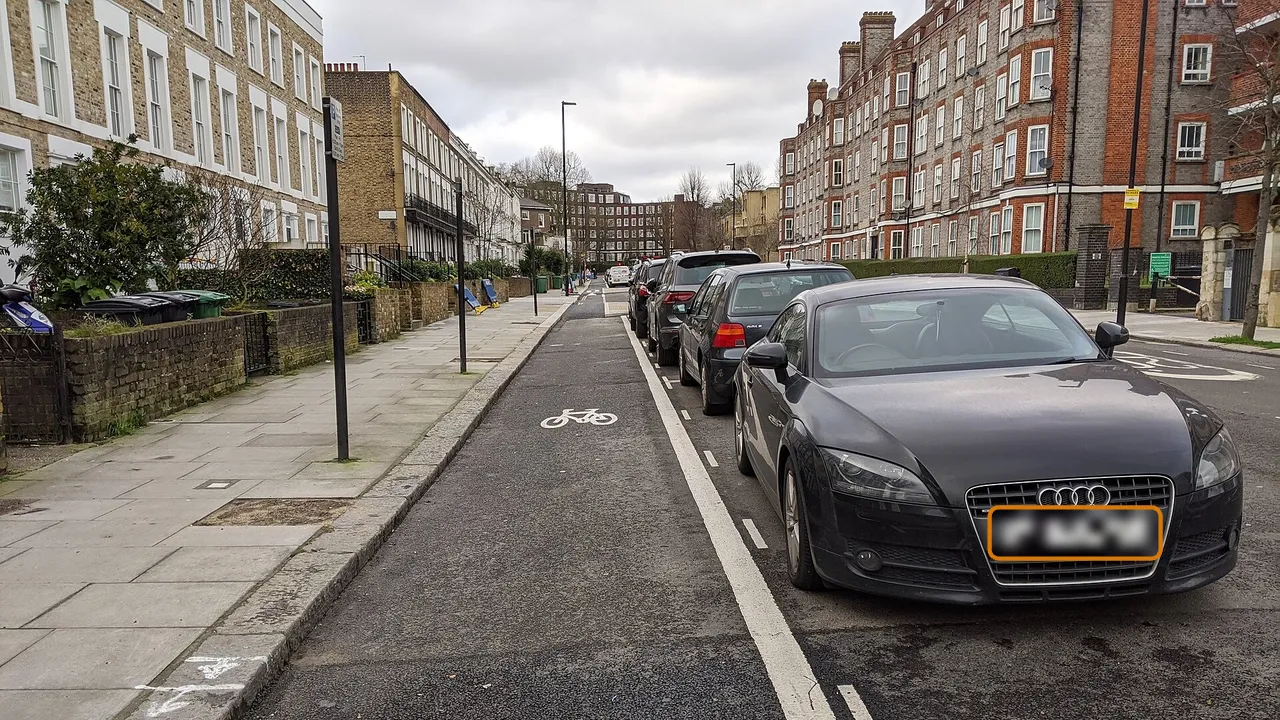
Before you post a clip of a blocked bike lane or a near miss, hide the plates of every car that just happened to be there.
Street and travel videos
Parked cars line almost every street. Hide their plates together with the faces of passers-by in one export.
Why license plates are worth hiding, and how Shycut finds them
A license plate looks harmless, but it is a unique label tied to one vehicle and, through official records, to its owner. In a video it also shows where that car was and when: outside a home, at a workplace, at a school gate. A few clips together can describe someone’s routine. Whether a plate counts as personal data depends on where you live, but hiding it costs you nothing and protects a stranger who never agreed to be filmed.
This page opens your video with plate hiding chosen, so the search starts as soon as it opens; on the home page it is “Hide licence plates”, and for any other video it is one tap on “Search” next to “Licence plates”. The plate model downloads once (8–15 MB) and stays in your browser for next time. The model reads the frames on your device and a tracker follows each plate between them, so the blur stays on the number plate as cars pass and turn. Only the model comes down; your video never goes up.
Every plate it finds starts hidden, your own included, because a plate you forgot is worse than one you have to reveal with a tap. The found list shows each plate with the time it appears, and “Jump to this moment” takes you there to check it. With many cars in view, “Hide all” and “Show all” save time. Plates get a rounded rectangle, faces an ellipse, and both use the style you pick: blur, pixelate, emoji or a solid box.
No detector is perfect, and plates are a hard target. They are small, often seen at a steep angle, washed out by headlights at night or smeared by motion. A “Thorough” scan looks at more frames and zooms into parts of the picture, so small and distant plates are found more often; it takes longer. For anything still missed, “Add area” lets you draw around it and follows it as it moves. The result is drawn into the pixels of a new MP4, and your original file stays as it was. Filmed it on a dashcam? The dashcam video editor trims to the moment and hides plates in one go. A phone video also carries where it was filmed, so remove the location before you post.
Tips for hiding every plate
- Watch the preview once from start to end before you export, with an eye on cars at the edges of the frame.
- Night footage and fast motion make plates harder to find. Use a “Thorough” scan on those clips.
- Raise the margin if the edge of a plate shows when a car moves quickly across the frame.
- Plates far away or on motorbikes are small. Use the found list to jump to each one and check it.
- Reveal your own plate only if you are happy for anyone watching to know the car is yours.
Private by construction
- Runs on your device
- Your browser decodes, analyses and encodes the video. There is no server to send it to.
- Nothing is uploaded
- The counter in the header measures every byte this page sends. It stays at zero.
- Location data wiped
- Phones hide GPS positions inside videos. The exported file never carries them.
Questions
Do I have to upload my video to blur the plates?
No. Shycut runs in your browser, so the video is read, scanned and saved on your own device. Only the plate model is downloaded, once (8–15 MB), and kept for next time.
What if a plate is missed?
Choose “Add area”, draw around it and it is tracked like the others. A “Thorough” scan also finds more small plates. Always watch the preview before you post: no detector finds everything.
Does it only work on cars?
No. The detector looks for the plates themselves, so plates on vans, trucks and motorbikes are found too. Small plates far away are the hardest; check them in the preview.
Can I keep my own plate visible?
Yes. Every plate starts hidden; tap the one you want to show. If your car leaves the frame and comes back, check each time it appears in the found list.
Does Shycut read or store the plate numbers?
No. The model only finds where a plate is in the picture; it does not read the characters on it. Nothing about the plates is saved or sent anywhere, and the hidden area is simply drawn over.
Can I blur plates in several videos at once?
Yes. Drop several files together and choose to process the videos one by one instead of joining them: each gets the same recipe and becomes its own MP4. Watch every result before you post it, because each video has its own hard moments.
Your video stays with you.
Open Shycut, drop the video in and export. Free, with no account, and your video never leaves your device.
Choose your videoMore free tools
- Blur faces in video
- Pixelate a face
- Blur a moving face
- Blur children’s faces
- Dashcam video editor
- Remove location data
- Video metadata viewer
- Check a video’s location
- Remove silences
- Add captions to video
- SRT subtitle generator
- Resize for Reels & TikTok
- Merge videos
- Merge portrait and landscape
- Add music to video
- Speed up video
- Screen recorder
- Motovlog editor
- Merge GoPro videos
- GoPro speed overlay
- Remove wind noise