Edit dashcam footage and hide plates before you share it
Cut a long drive down to the moment that matters, hide the license plates and faces of everyone not involved, and keep the one plate that counts in view. The footage is read and edited on your own device, never uploaded.
Drop your video here
Choose your videoMP4, MOV, WebM or MKV. It opens right here, on your device.
- Nothing uploaded
- No sign-up
- No watermark
How it works
Drop the clip
MP4, MOV, WebM or MKV straight from the dashcam’s card. Drop several clips at once and the others wait in the Media list, ready to be joined.
Trim to the moment
Drag the trim handles to the incident, and use “Remove part” and “Remove up to here” to take out a stretch in the middle.
Hide plates, then export
Tap “Search” next to “Licence plates”. Everything found starts hidden; tap the plate that must stay visible and save an MP4.
What you get
- Plates and faces, followed
- License plates and the faces of pedestrians and other drivers are found as the clip opens, then followed as the traffic moves.
- Keep the plate that matters
- Every plate starts hidden. Tap the one involved in the incident to reveal it, and the uninvolved ones stay covered.
- Trim and cut
- Keep only the seconds around the event. Cut a stretch from the middle with the X key, and bring any cut back if you change your mind.
- GPS left behind
- The exported file carries no GPS location, device model or original timestamps from the recording’s metadata.
- Long drives, no upload wait
- Nothing is uploaded, so there is no server file-size cap and no waiting for a big file to transfer. Videos up to about an hour work.
- Your original stays untouched
- Shycut writes a new MP4 and never changes the file from the card, so the unedited footage is still there if someone asks for it.
When you share road footage
Posting a near miss online
Share the close call on social media without putting every passing driver and pedestrian on the internet with it.
Sending a clip to your insurer
Trim a long recording to the seconds that show what happened, so whoever reviews it sees the incident straight away.
Reporting a driver to the police
Send a short, clear clip with the plate involved left visible, and keep the original file in case the full recording is needed.
Road trips and scenic drives
A mountain pass or a coastal road makes a good video. Hide the plates of the cars around you and the people at the roadside first.
Sharing dashcam footage without exposing bystanders
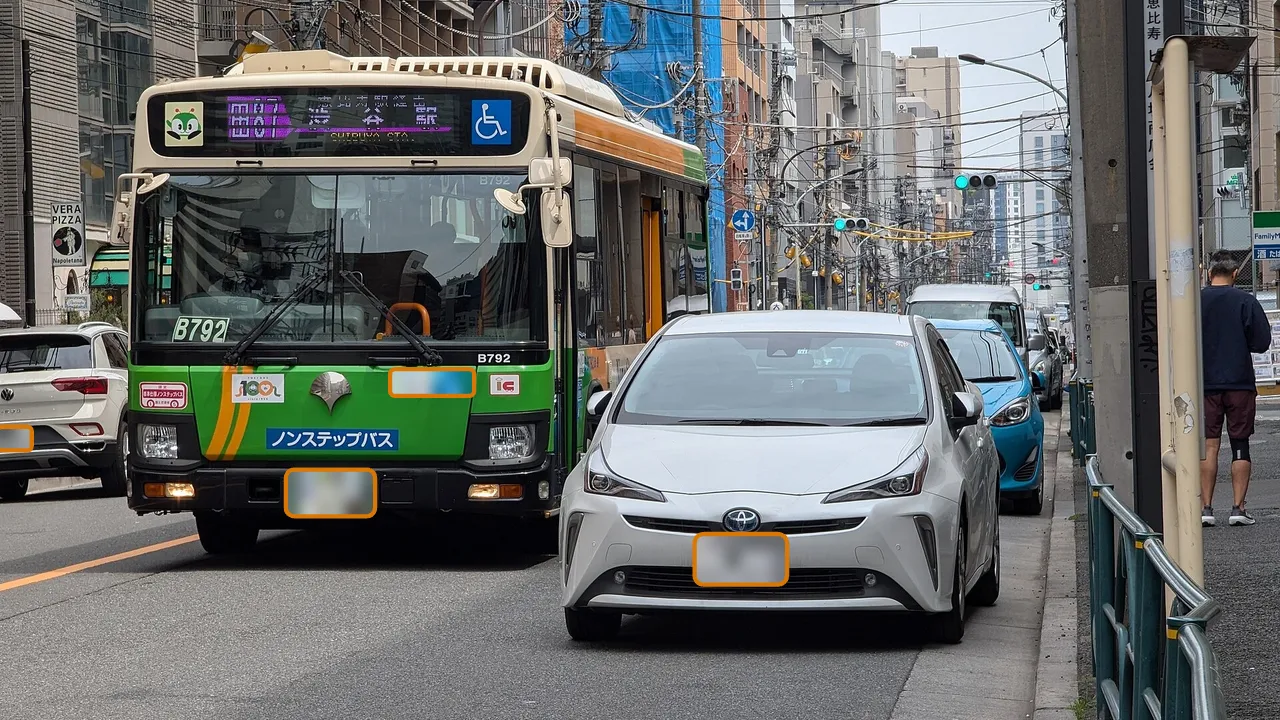
A dashcam records everyone it passes. A single minute of city driving can hold dozens of license plates (number plates, if you’re in the UK) and many pedestrians, and most of them have nothing to do with the moment you want to show. A plate links a car to its owner, and a face is easy to recognise. When a clip goes online, all of them go with it. Hiding the people who weren’t involved is a courtesy, and in many places it is what the rules expect.
Start by trimming. Dashcam files are often long, and the incident may be a few seconds somewhere in the middle. Drag the trim handles to keep a short lead-up and what follows, then use the manual cut to take out anything in between that doesn’t matter. A short clip is easier to understand, smaller to send and gives less away. Every cut stays listed, so you can bring a part back if you trimmed too much.
Then come the plates and the people. This page opens the clip with both searches chosen, so they run as it opens; for any other video they are one tap on “Search” next to “Licence plates” and “Faces”. Everything found starts hidden, and each plate is followed as cars approach, pass and turn. If the clip shows what another driver did, their plate may be the whole point: tap it in the found list to reveal it, and the rest stay covered. Watch the preview to the end, because no detector finds every plate in every frame.
Finally, think about what the file says beyond the picture. A video file can carry the place it was recorded, the device and the original time in its metadata. Shycut doesn’t copy that metadata into the new MP4, so the exported clip carries no GPS location, device model or original timestamps. The picture itself is different: if your dashcam prints the date, speed or position into the image, that text is part of the video and stays unless you cover it. The file’s own GPS is a separate matter: check where the video was filmed, then remove the location if it shouldn’t travel with the clip.
Tips for dashcam clips
- Keep a few seconds before and after the incident. A clip that starts in the middle of the event is hard to follow.
- If a distant or steeply angled plate is missed, draw around it with “Add area” and it is followed as it moves.
- If your dashcam stamps the date, speed or coordinates into the picture, draw an area over the stamp and check in the preview that it stays covered.
- Dashcams often record the talk inside the car. Listen before you share, and use “Mute audio” if the sound adds nothing.
- Keep the original file from the card. Shycut never changes it, and the full recording may be asked for later.
Private by construction
- Runs on your device
- Your browser decodes, analyses and encodes the video. There is no server to send it to.
- Nothing is uploaded
- The counter in the header measures every byte this page sends. It stays at zero.
- Location data wiped
- Phones hide GPS positions inside videos. The exported file never carries them.
Questions
Is my dashcam footage uploaded?
No. The clip is opened, scanned and exported in your browser on your own device. The plate model (8 to 15 MB) is downloaded once and cached; the video itself never leaves the device.
Can I keep the other driver’s plate visible?
Yes. Every plate starts hidden. Tap the one you want to show in the found list, and the others stay covered. Use “Jump to this moment” to check that it is the right plate.
Does Shycut read my dashcam’s GPS and speed data?
No. Shycut only reads GPS from GoPro cameras that record it, to draw a speed gauge. For a dashcam, the location stored in the file is simply not copied, and the exported MP4 carries no GPS position.
Can I remove the conversation inside the car?
Yes. Turn on “Mute audio” and the new MP4 is exported without sound, so nothing said in the car goes with it. The picture, the trims and the hidden plates all stay as they are.
Can I edit several dashcam clips at once?
Yes. Drop several files together: the first opens and the rest wait in the Media list, where “Add all to the end” joins them into one video. For one MP4 per clip, choose to process the videos one by one instead, and each gets the same recipe, for example “Hide licence plates”.
How long can a dashcam video be?
Videos up to about an hour work, and there is no file-size cap from a server because nothing is uploaded. Long files are fastest on a computer; a phone works too, it just needs more time.
Your video stays with you.
Open Shycut, drop the video in and export. Free, with no account, and your video never leaves your device.
Choose your videoMore free tools
- Blur faces in video
- Pixelate a face
- Blur a moving face
- Blur children’s faces
- Blur license plates
- Remove location data
- Video metadata viewer
- Check a video’s location
- Remove silences
- Add captions to video
- SRT subtitle generator
- Resize for Reels & TikTok
- Merge videos
- Merge portrait and landscape
- Add music to video
- Speed up video
- Screen recorder
- Motovlog editor
- Merge GoPro videos
- GoPro speed overlay
- Remove wind noise