Record and edit a podcast, right in your browser
Record your voice, and a guest’s from the call you have open, then edit the episode like a document: its pauses and “um”s are found for you to cut with one tap, the sound is cleaned up and evened out, and you delete words to cut them. Save an MP3 for your host, or a square clip with captions for social. It’s free, with no account and no time limit, and the recording never leaves your device.
Your microphone, and a guest on a call if you like
Start recordingYour camera and microphone turn on only when you allow them. Everything is recorded on this device.
- Nothing uploaded
- No sign-up
- Free
How it works
Choose Voice
Open the recorder and pick Voice. Turn on a guest’s sound to bring in a call from another tab, and add notes to read from.
Record
A 3-2-1 countdown, a live trace of the sound, pause with Space, and R to throw away a fluffed take and count into the next one.
Edit and save
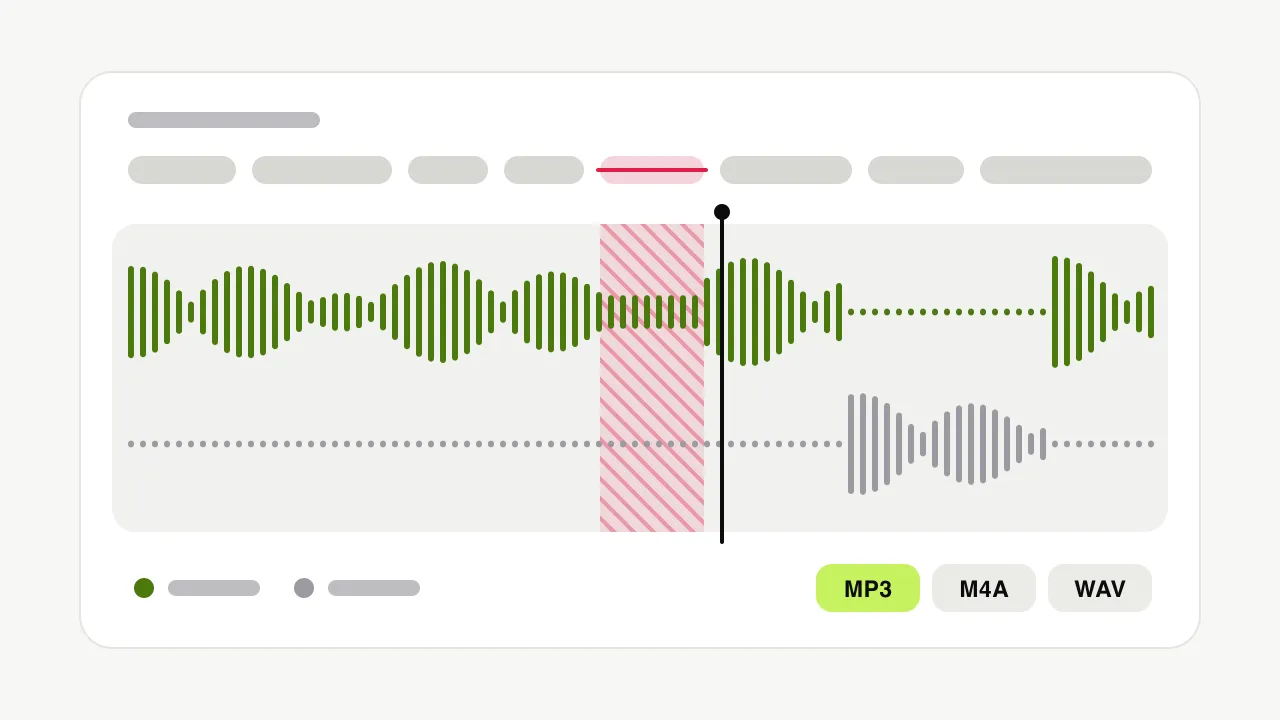
It opens cleaned up, its pauses and “um”s found. Cut them in one tap, add intro music, then save an MP3, M4A or WAV.
What you get
- Pauses and “um”s found
- Dead air and hesitations are found as the episode opens: cut them in one tap, or leave them. Every cut can be brought back.
- Edit by the words
- One tap writes the speech down on your device. Select words and delete them, and that part of the audio goes too.
- A guest from a call
- Share the call’s tab and its sound is recorded with your microphone, live, in the same file.
- Clean, even sound
- Noise reduction for hum and room noise, and the level brought to −16 LUFS for podcast apps, or −14 for social.
- Chapters in the MP3
- Chapters suggested from what was said go into the MP3 for podcast apps; the words save as text for show notes.
- Crash-safe, no limit
- The recording is written to your device every second, so a closed tab keeps it. The only limit is free space.
What people record with it
A solo episode
Talk through your topic with your notes scrolling beside you, retake the sentences that come out wrong, save the MP3.
An interview over a call
Your guest on Meet, Zoom in the browser or any call in a tab: share that tab’s sound and both voices are recorded together.
A clip for social
Save a part of the episode as a square or vertical video with word-by-word captions, the format podcast clips are shared in.
An episode someone else edits
Record, trim the obvious, and send a WAV to your editor. Nothing passes through our servers on the way.
A podcast without a studio, and without a cloud in between
Online podcast recorders usually upload the recording so you can edit it on their site, and their free plans stop at a few hours a month, a watermark or a lower quality. Shycut records in your browser and writes the sound to your own device every second. Nothing is streamed anywhere: the counter in the app header shows the bytes the page sends, and it stays at zero. There is no time limit from us, only the free space on your device, and the recorder warns you before it runs low.
A guest joins through the call you already use. Open the call in a browser tab, turn on “A guest on a call” in the recorder, and share that tab with “Share tab audio” ticked: what the guest says is recorded together with your microphone, live. You edit the conversation as one, and each voice is also kept on its own: when you save, add your voice and the guest’s as separate WAV files, cut exactly like the episode, to mix in another app. Wear headphones anyway (otherwise your microphone hears the guest from your speakers too). Sharing a tab’s sound works in Chrome and Edge on a computer; alone with your microphone, it records on a phone as well.
Then the tedious part is ready for you. As the episode opens, its pauses and “um”s are found and offered: cut them all with one tap, or one kind at a time (each cut is listed and can be brought back); nothing is cut until you say so. When you save, noise is reduced and the loudness evened out to −16 LUFS, the level Apple Podcasts asks for (−14 for social is one tap away). The speech can be written down by a model that runs on your device (100 to 300 MB, downloaded once, only when you ask), so you can cut the dead air by hand, delete a sentence by selecting its words, or bleep out a name. A guest who must stay anonymous can be given a different voice.
Saving starts on MP3, the file podcast hosts take, at 96, 160 or 256 kbit/s; M4A and WAV are a click away. Put an intro or outro song under the speech with music that ducks while someone talks. For social, save the same edit as a square or vertical video instead: the picture is a plain dark card, ready for burned-in captions and a title. Chapters suggested from the transcript are written into the MP3, where Apple Podcasts, Overcast and Pocket Casts show them, and the whole transcript saves as text or Markdown for show notes.
Tips for a clean episode
- Wear headphones, especially with a guest: speakers leak into your microphone and the guest’s voice comes back as an echo.
- Tick “Share tab audio” when you share the call’s tab; without it, Shycut stops and tells you, rather than recording you alone.
- Record a few seconds of the room first and watch the trace: it should stay low while nobody speaks.
- Stumbled over a sentence? Press R to retake it instead of starting again; the discarded take can still be brought back.
- Keep your mouth a hand’s width from the microphone and the same distance throughout, so the level stays even.
Private by construction
- Recorded on your device
- Your browser records, edits and saves it. There is no server to send it to.
- Nothing is uploaded
- The counter in Shycut’s header measures every byte the app sends while you work. It stays at zero.
- Safe while you record
- Every second is written to your device as you go, so a closed tab or a crash keeps what you recorded.
Questions
Is the podcast recorder really free?
Yes. There is no plan, no account and no watermark, and no time limit from us. The only limit is free space on your device, and sound takes far less of it than video; the recorder warns you before it runs low.
Can I record a podcast with a remote guest?
Yes, through the call you already use. Open it in a browser tab, turn on “A guest on a call” and share that tab with its sound. Both voices are recorded together in one track, live. It works in Chrome and Edge on a computer.
Are my voice and the guest’s recorded on separate tracks?
Both. You edit the conversation as one mix, and each voice is kept on its own too: when you save, tick your voice and the guest’s to get two more WAV files, cut exactly like the episode, ready to mix elsewhere.
Can I record a podcast on my phone?
Yes, your own voice, in a current phone browser: choose Voice in the recorder and allow the microphone. Bringing in a guest’s sound from another tab needs a computer, because phone browsers can’t share a tab.
What format is the episode saved in?
MP3 by default, which every podcast host accepts, at 96, 160 or 256 kbit/s. You can also save M4A, uncompressed WAV, or a square or vertical video with captions for social.
Is my recording uploaded anywhere?
No. It is recorded, edited and saved on your own device, and nothing is streamed to a server. The only download is the speech model for the transcript, once, and you see its size first.
Your recording stays with you.
Start recording right in your browser. Free, with no account, and nothing you record leaves your device.
Start recordingMore free tools
- Blur faces in video
- Pixelate a face
- Blur a moving face
- Blur children’s faces
- Blur license plates
- Dashcam video editor
- Remove location data
- Video metadata viewer
- Check a video’s location
- Remove silences
- Video voice changer
- Bleep out words in a video
- Add captions to video
- SRT subtitle generator
- Audio to text
- Resize for Reels & TikTok
- Crop a video
- Remove text from video
- Zoom in on a video
- Merge videos
- Merge portrait and landscape
- Add music to video
- Add text above a video
- Speed up video
- Screen recorder
- Online voice recorder
- Mic test
- Audio editor
- Merge audio files
- Remove background noise
- Add a voice-over
- Audiogram maker
- Motovlog editor
- Merge GoPro videos
- GoPro speed overlay
- Remove wind noise