Remove background noise from audio, on your device
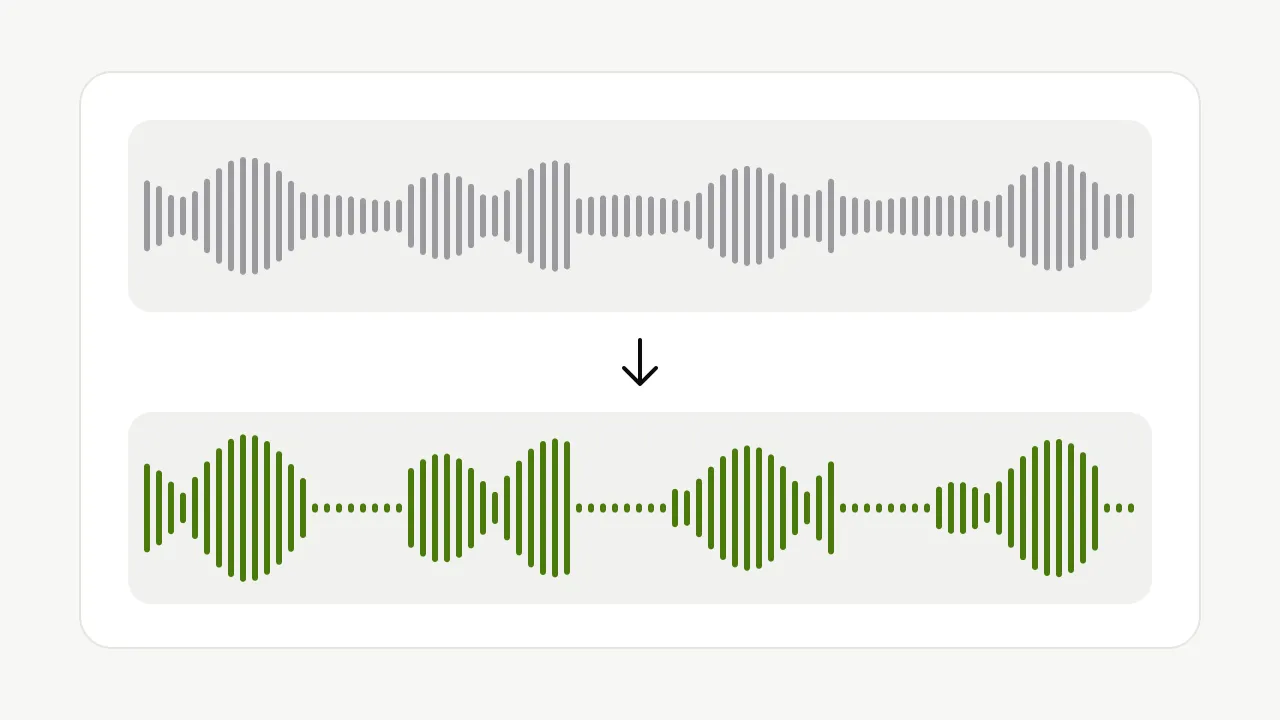
Drop a recording with hum, a fan, traffic, wind or a noisy room behind the voice. It opens with noise reduction on, trim it if you like, and save it as MP3, M4A or WAV with the voice brought forward. The cleaning runs in your browser, so nothing is uploaded and there is no account to make.
Drop your recording here
Choose your recordingAn audio file (MP3, M4A, WAV) or a video (MP4, MOV, WebM). It opens right here, on your device.
- Nothing uploaded
- No sign-up
- Free
How it works
Drop the recording
MP3, M4A, WAV, FLAC, OGG or a video. It opens on the Audio tab, noise reduction on.
Try a short part
Cleaning is done as it saves: save a few seconds first to hear the result.
Save the clean file
The same kind of file you dropped, or MP3, M4A or WAV. The original isn’t touched.
What you get
- Made for voices
- A speech model keeps the voice and lowers what isn’t speech: hum, fans, traffic, hiss.
- Wind rumble filtered
- Low rumble from wind and handling noise goes first, before the speech is cleaned.
- Try before the whole file
- Save a short trimmed part to hear the cleaning, then undo the trim and save it all.
- Even loudness too
- The level evened out for apps (−14 LUFS) or podcast apps (−16), if you want it.
- Any recording
- Sound files and the sound of videos, from a phone, a recorder or a call.
- Nothing uploaded
- It runs on your device, with nothing to download first. No sign-up, no watermark.
What people clean up
Interviews and voice notes
A café, a street or a fan behind the voice, turned down so the words come through.
Podcasts recorded at home
Computer fans, fridge hum and room noise lowered before the episode goes out.
Lectures and meetings
A projector or air conditioning under the speaker, cleaned before the notes are written.
Outdoor recordings
Wind and distant traffic reduced on a recording made outside.
How background noise removal works, and its limits
Noise removal in Shycut works in two steps. A filter first takes out the low rumble that wind and handling make, which no voice needs. Then a small speech-enhancement model, RNNoise, listens to the sound in short slices and lowers everything that isn’t a voice: fans, hum, hiss, traffic, the murmur of a room. Both run in your browser on your device; there is nothing to download and nothing is uploaded, which matters for interviews and meetings.
The cleaning is done as the file is saved, so the preview still plays the recording as it was. To judge it first, trim the edit to a few noisy seconds, save that and listen; then undo the trim and save the whole recording. Noise reduction is applied to the whole edit; turn it off in the Audio tab if you change your mind. Evening out the loudness is a separate switch beside it: −14 LUFS is where social apps and YouTube play, −16 where Apple Podcasts asks.
It is made for speech, so it has limits worth knowing. Music is treated as noise and comes out thin, so it isn’t for songs. A voice that was drowned out can’t be brought back: the cleaner the recording, the better the result. Very loud noise right on top of the words can leave a slightly watery sound. For wind on video from a bike, a beach or a boat, the wind noise page walks through the same tool on video.
Once it sounds right, the rest of the editing is there too: trim and cut the recording, cut the pauses and “um”s, or write the speech down and edit it by its words. Saving starts on the kind of file you dropped, MP3, M4A or WAV, and the original file on your device is never changed.
Tips for the cleanest result
- Listen to the saved file on headphones: small noise is easier to judge than on speakers.
- Clean first, then even out the loudness; evening out also lifts what noise is left.
- For a song or music under speech, leave noise reduction off: it is made for voices.
- Record the next one closer to the microphone: less noise to remove sounds more natural.
- Save as WAV if another editor comes next, MP3 to share it.
Private by construction
- Runs on your device
- Your browser opens, edits and saves the recording. There is no server to send it to.
- Nothing is uploaded
- The counter in Shycut’s header measures every byte the app sends while you work. It stays at zero.
- Your file stays as it was
- The browser only reads the file you open. What you save is a new file; the original is never changed.
Questions
Is it free to remove background noise?
Yes. No account, no watermark and no limit from us; the cleaning runs on your own device.
Is my recording uploaded?
No. The noise reduction runs in your browser, and the file is opened, cleaned and saved on your device.
What kinds of noise does it remove?
Steady and busy noise behind a voice: fans, hum, hiss, air conditioning, traffic, a room’s murmur, and the rumble of wind. It keeps the voice.
Can it clean up music?
No. It is made for speech and treats music as noise, so a song comes out thin. Leave it off for music.
Which files can I clean?
MP3, M4A, AAC, WAV, FLAC, OGG, Opus, and the sound of MP4, MOV, WebM or MKV videos. It saves MP3, M4A or WAV, or a video.
Can I hear the result before saving the whole file?
The cleaning is done while saving, so the preview plays the original sound. Trim to a few seconds, save that to hear the result, then undo the trim and save the whole file.
Your recording stays with you.
Open Shycut, drop the recording in and export. Free, with no account, and nothing you open leaves your device.
Choose your recordingMore free tools
- Blur faces in video
- Pixelate a face
- Blur a moving face
- Blur children’s faces
- Blur license plates
- Dashcam video editor
- Remove location data
- Video metadata viewer
- Check a video’s location
- Remove silences
- Video voice changer
- Bleep out words in a video
- Add captions to video
- SRT subtitle generator
- Audio to text
- Resize for Reels & TikTok
- Crop a video
- Remove text from video
- Zoom in on a video
- Merge videos
- Merge portrait and landscape
- Add music to video
- Add text above a video
- Speed up video
- Screen recorder
- Podcast recorder
- Online voice recorder
- Mic test
- Audio editor
- Merge audio files
- Add a voice-over
- Audiogram maker
- Motovlog editor
- Merge GoPro videos
- GoPro speed overlay
- Remove wind noise